High Flexibility.
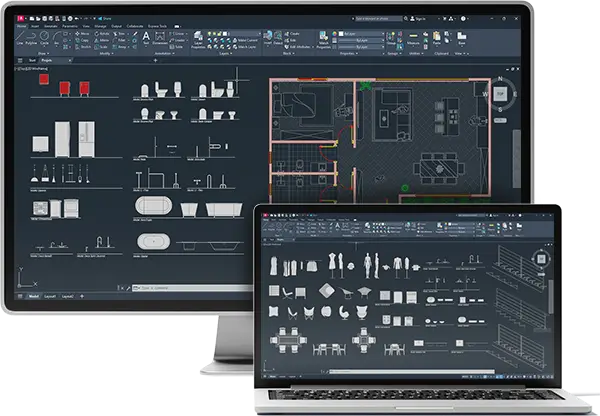
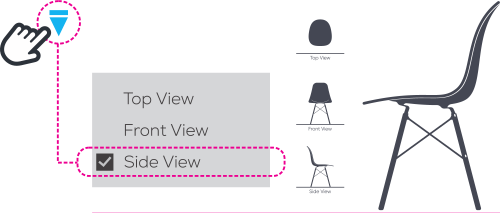
Switch between models, dimensions and views with a single click — without having to redraw anything.

Deliver projects 3x faster with our Dynamic Blocks for AutoCAD
Authentic Product | V. 2026
It’s not a lack of skill.
It’s a lack of the right tool.
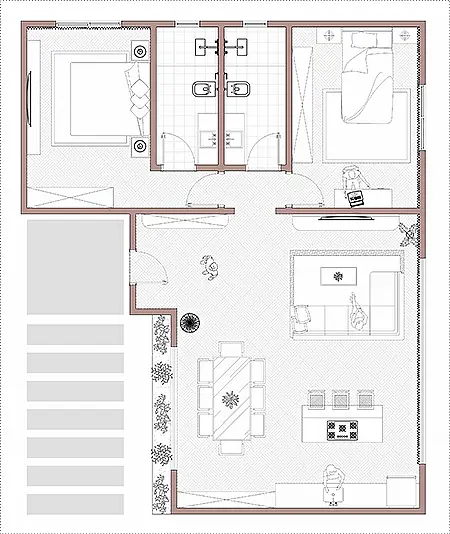
The solution is simple: a library of over 2,000 Dynamic Blocks, ready for any project. Designed by professional architects and engineers from the industry.
Advantages of
Dynamic Blocks.
Click and Select.
Gain more Speed and Efficiency with Smart Blocks. 100% of Dynamic Blocks can be changed between Floor Plans, Views, and Elevations; simply click and select.
More than 12,360 units sold worldwide.
4.9 / 5.0 - 6.543 Reviews
Download
Less than 2 minutes.
We work with Hotmart, one of the world’s leading technology companies, which handles payments and ensures the delivery of products. You’ll receive your login details in under two minutes and will be able to download our files.
Satisfaction guaranteed or your money back — it’s that simple. We offer a 7-day guarantee: no red tape, no questions asked, no fuss. You can shop with complete peace of mind, knowing there’s zero risk.

 4.9 / 5.0 - 6.543 Reviews
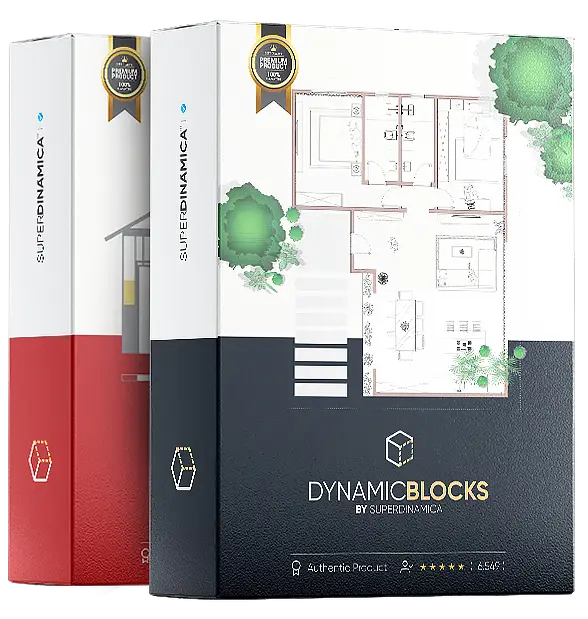
Package with 2.000+
Dynamic Blocks V.2026
for AutoCAD.
Bonus: Steel and Wood Frame Blocks
Bonus: A.I for Architecture (Ebook)
US$ 13.00
US$ 27.00
50% Discount
Once
- Instant Download
- 100% Secure Purchase
- Guaranteed Quality
- Free Updates
- Online Support

Mariana L.
Extremely well-organized content. The blocks have greatly streamlined my construction documents.

Super Dinâmica – Arch Design 
Instructor's reply • 2 months ago
Thank you, Mariana! Our goal is precisely to optimize your workflow.

Rafael M.
The material is very well thought out for those seeking standardization.
Super Dinâmica – Arch Design
Instructor's reply • 1 month ago
Thanks, Rafael!

Camila R.
I've been an architect for 15 years, and this is my first time working with dynamic blocks. It's fantastic.
Super Dinâmica – Arch Design
Instructor's reply • 3 weeks ago
Thank you, Camila. It's an honor to have you as a client.

Ana M.
The blocks are excellent, I just didn't like the hatch patterns.
Super Dinâmica – Arch Design
Instructor's reply • 3 weeks ago
Thank you, Ana! We've already addressed the hatch issue in the latest update.

Javier M.
Highly recommended.
Super Dinâmica – Arch Design
Instructor's reply • 3 weeks ago
Thank you, Javier.

Joyce N.
All the blocks are great and have been a big help in our studio's daily workflow.
Super Dinâmica – Arch Design
Instructor's reply • 3 weeks ago
Thank you, Joyce.
Testimonials
Your feedback is very important to us and helps us to continuously improve our services.
Please share your experience by sending an email to help@superdinamica.com.
Do you have any questions?
See our FAQs
Do you have any further questions? Please get in touch.
What is the warranty?
We work with Hotmart, one of the most secure and reliable platforms in the world. You are guaranteed complete security in your transaction and complete satisfaction. If you don’t like the blocks, we will refund 100% of your money within 7 days.
How will I receive the files?
Immediately after purchase, you will receive an email with instructions on how to access and download the files. If you have not received the email with instructions, click on Help.
Will I have online support?
Yes. Our support team is always available to answer any questions related to purchasing and dynamic blocks. If you have not received the email with instructions, click on Help.
How do I access the content?
To access the content, please follow our step-by-step guide on the page How to Access.
What is the file format?
The block files are in .DWG format and can be opened in any AutoCAD or similar software.
What are the units of measurement?
Dynamic Blocks were originally developed in the metric system, but you can use them in the imperial system (feet and inches).
Which version of AutoCAD?
Yes. They work on any version after 2013. They also work on the LT version.
Does it work with other CAD programs?
Yes. Some customers use it in other software (ZWCAD, BrisCAD, among others), but our support is exclusive to AutoCAD.